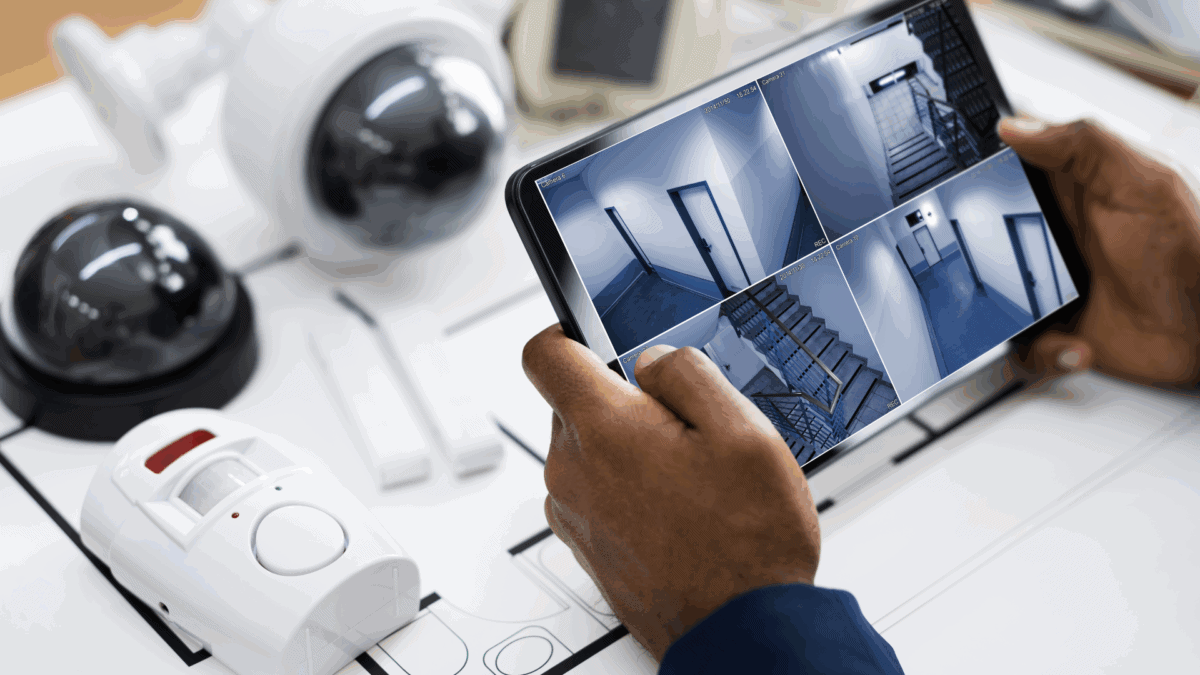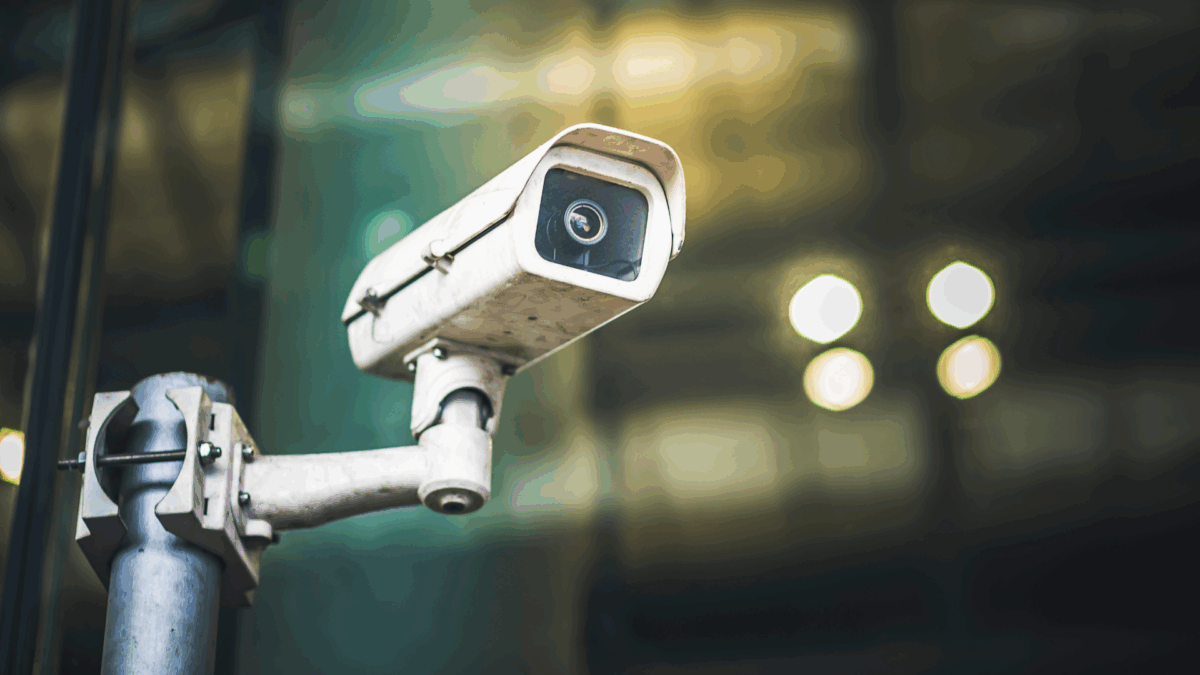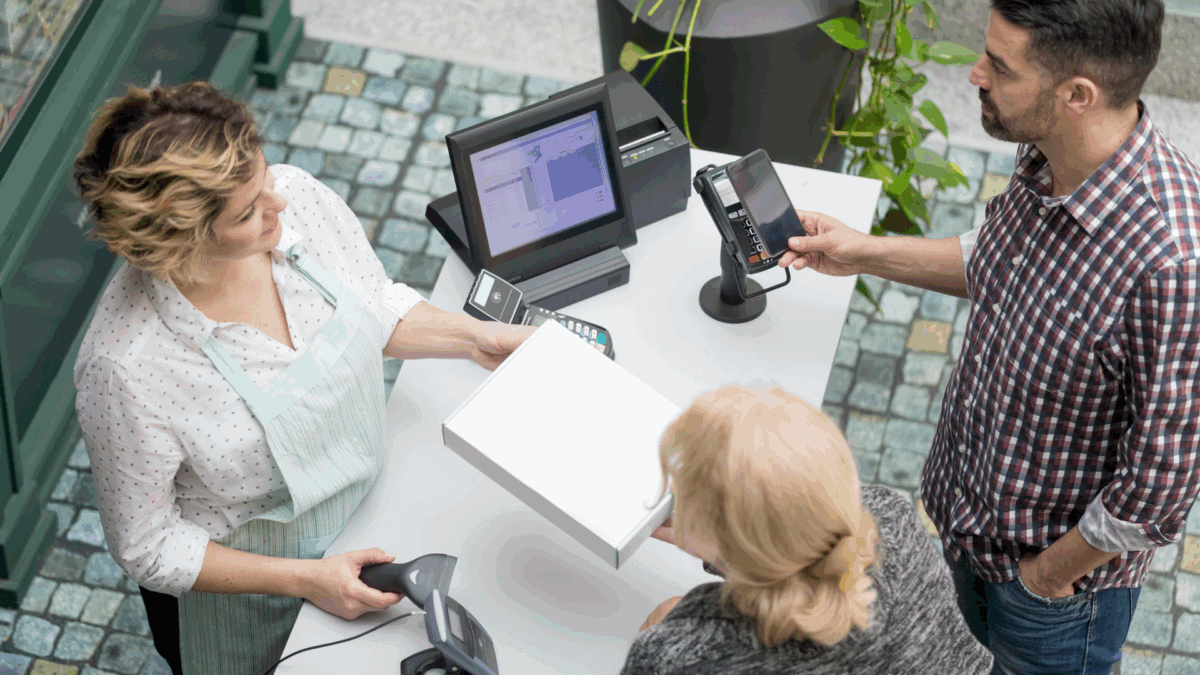


















Turret vs Dome Security Camera: Choosing the Right Option for Your Needs

When comparing a Turret Vs Dome Security Camera. Each has advantages; depending on your security goals, environment, and budget, one may be a better fit than the other. Let’s find out the differences between turret and dome cameras so you can make the best decision for your organization’s security system.

What Are Turret Security Cameras?

Turret Security Cameras—sometimes called “eyeball” cameras—are popular options for both indoor and outdoor surveillance. Their name comes from their round, ball-like camera design that sits in a socket, allowing you to manually rotate the lens easily.

Design and Appearance

Turret cameras feature a compact, ball-and-socket build that gives you flexible positioning without exposing the lens to glare from a protective dome. Because there’s no outer dome, you can adjust the angle easily after installation without opening the casing.

Key Features

  • High-Resolution Imaging: Most turret models come equipped with high-definition lenses for excellent clarity.
  • Infrared Night Vision: Many offer strong IR capabilities without the distortion sometimes seen in domed units.
  • Weather-Resistant Options: Outdoor models are designed to hold up against the elements.
  • Low Maintenance: The lack of a dome reduces the risk of image haze due to dust or water spots.

Common Use Cases

Turret cameras are great for small business exteriors, parking lots, warehouses, or areas where precision control over viewing angles and quick install-and-go functionality are required.

What Are Dome Security Cameras?

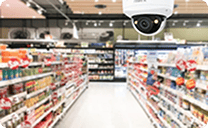
Dome Security Cameras are named for their distinctive dome-shaped housing, which covers the lens and internal components. These cameras are often associated with a sleek, professional look and are widely used in commercial settings.

Design and Appearance

Dome cameras are generally more discreet than their turret counterparts. Their design makes it difficult for someone to determine the direction the lens is pointing, adding a layer of psychological deterrence.

Key Features

  • Vandal-Resistant Casings: The protective housing makes dome cameras a solid choice for areas prone to tampering.
  • Infrared Capabilities: Strong IR performance allows for night vision in total darkness.
  • Pan, Tilt, and Zoom (PTZ): Some dome cameras feature motorized movement, allowing for broader surveillance coverage.
  • Aesthetic Integration: Their sleek appearance blends well with most architectural styles.

Common Use Cases

You’ll often see dome cameras in retail stores, QSR restaurants, hotels, and offices—anywhere surveillance needs to blend in without drawing attention.

Key Differences Between Turret and Dome Cameras

Understanding the functional and aesthetic differences between Turret vs Dome Security Cameras will help you match the correct device to your specific environment.

Design and Visibility

  • Dome Cameras: Sleek, unobtrusive, and ideal for low-profile indoor surveillance.
  • Turret Cameras: These are more visible but offer more flexibility in lens direction.

Installation Flexibility

  • Turret cameras allow for easier post-installation angle adjustments.
  • Dome cameras may require disassembly to re-angle the lens.

Vandal Resistance

  • Dome cameras are often designed with vandal-resistant housings, making them ideal for high-traffic or vulnerable areas.
  • Turret cameras are easier to tamper with, but can be installed in higher or less accessible locations to minimize risk.

Aesthetic Integration

  • Dome cameras tend to blend better with interior and exterior decor.
  • Turret cameras are more noticeable and may be better suited where visibility acts as a deterrent.

Performance Features

  • Image Clarity: Turrets tend to have fewer IR reflection and glare issues, offering crisper night vision.
  • Environmental Suitability: Both types offer weatherproof models, but turrets generally perform better in outdoor settings due to reduced glare.

Pros and Cons of Turret Security Cameras

Pros:

  • Easier to install and reposition
  • Typically better night vision with less IR glare
  • Excellent image clarity
  • Ideal for outdoor environments

Cons:

  • Easier to tamper with than dome cameras
  • More visible and may stand out in aesthetically sensitive areas

Pros and Cons of Dome Security Cameras

Pros:

  • Sleek, discreet design that blends in easily
  • Better protection against tampering and vandalism
  • PTZ functionality is available in some models
  • Lens direction is harder for intruders to detect

Cons:

  • Can be more complex to adjust post-installation
  • Dome cover may collect dust or moisture, affecting image quality over time
  • IR glare can be a concern in certain lighting conditions

Choosing the Right Camera for Your Needs

Choosing between turret Vs dome security camera depends on your environment, goals, and budget. If you’re in a high-traffic area where vandalism is a concern, dome cameras offer more protection with their rugged housing. For outdoor spaces where lighting changes often, turret cameras tend to perform better with easier angle adjustments and clearer night vision. Domes blend in well and are more discreet, while turrets provide a visible deterrent. While dome cameras with PTZ and tamper-resistant features may cost more, they can be worth the investment in vulnerable locations.

Installation Tips for Turret and Dome Cameras

Regardless of which type you choose, proper installation is crucial:

  • Optimal Placement: Avoid blind spots. Place cameras high enough to cover wide areas without obstruction.
  • Ensuring Coverage: Use overlapping angles to eliminate coverage gaps.
  • Wiring and Connectivity: Use weatherproof cables and connections for outdoor installs.
  • Maintenance and Upkeep: Clean lenses regularly. For domes, check for fogging or dust buildup inside the dome housing.

Future Trends in Security Cameras

Security camera technology is evolving rapidly, and turret and dome cameras are both benefiting from new innovations:

  • AI and Machine Learning: Smart detection and analytics to distinguish between people, vehicles, and animals.
  • Integration with Smart Systems: Seamless connection with access control, alarms, and building automation.
  • Wireless Advancements: Improved wireless connectivity for easier installation and real-time streaming.
  • Sustainability: Eco-friendly materials and energy-efficient designs.
  • Miniaturization and Aesthetics: Smaller, sleeker camera designs that still pack powerful features.

These trends may influence your choice between turret and dome cameras based on your preferred features.

Conclusion

Choosing between Turret Vs Dome Security Camera options doesn’t have to be complicated. Start with your specific environment and security goals, then weigh each camera type’s unique strengths and weaknesses. Turret cameras offer flexibility, clarity, and ease of use—especially outdoors. Dome cameras provide stealth, durability, and aesthetic appeal—perfect for indoor or vandal-prone areas.

By understanding what each offers, you’ll be better positioned to design a security system that truly meets your needs.

Still unsure which camera type is right for your setup? Contact our sales team for customized recommendations and deployment support.


Frequently Asked Questions

Can turret and dome cameras be used together in the same system?

Yes. Many businesses use a mix of both to balance coverage, aesthetics, and functionality. Turrets may be placed outdoors for visibility and angle flexibility, while domes serve indoor areas for a discreet look.

Which camera type is better for loading docks or warehouses?

Turret cameras are often preferred for these environments because they handle outdoor conditions well and offer better control over angle and glare. Their open design reduces IR bounce-back, which is great for night vision.

Do turret or dome cameras work better with AI and analytics features?

Both can integrate with AI-powered systems, but turret cameras tend to offer better raw video quality due to less interference from domes. Depending on the setup, the absence of dome interference can give a slight edge in analytics performance.

Are dome cameras harder to maintain than turret cameras?

They can be. Dome covers may accumulate dust or condensation over time, affecting video clarity. Regular cleaning helps, but turret cameras generally require less upkeep.

What is a CCTV Monitor and Its Role in Cloud Video Security?

When you think about a security system, your mind probably jumps first to the cameras themselves, but the device you use to see what’s happening on the video recorded by those cameras is just as important.

That’s where the CCTV monitor comes in.

A CCTV monitor is a crucial technology for displaying real-time footage and recorded video from security cameras. With the rise of cloud video security, the role of CCTV monitors has expanded even further, supporting live viewing, remote monitoring, and advanced analytics. Understanding the importance of CCTV monitors can help you make smarter decisions about building or upgrading your security system.

Historical Development of CCTV Monitors

The evolution of CCTV monitors mirrors the broader advancement of surveillance technology. From basic analog displays in the mid-20th century to today’s sophisticated, cloud-enabled IP cameras, CCTV monitors have adapted to the changing needs of security systems.

As technology progressed into the 1970s and 1980s, CCTV monitors started improving alongside video cameras. Dedicated monitors emerged with better refresh rates and clearer images. The introduction of VCR technology allowed these setups to pair with recording devices. Monitors could now display not just live footage but also previously recorded material.

By the 1990s, CCTV cameras with monitor setups had become more common, and digital systems began replacing analogue. Flat-panel monitors, higher resolutions, and the ability to connect to DVRs marked a significant leap forward. As cloud integration gained momentum in the 2010s, CCTV monitors evolved again to support remote viewing and smart analytics, bridging the gap between onsite security and cloud-based oversight.

Basic Function of CCTV Monitors

At their core, CCTV monitors are display devices that show the video feeds captured by surveillance cameras. Whether a simple black-and-white camera from decades ago or a sophisticated cloud-enabled IP camera today, the purpose remains the same: providing visual access to what the camera sees.

In a traditional CCTV camera with monitor setup, a camera transmits its video feed to a recording device (like a DVR or NVR), which then sends the video to the monitor. Some setups allow direct camera-to-monitor connections, particularly in basic or standalone systems.

Modern monitors use digital signals, providing high-definition (HD) or 4K images. Many can handle multi-camera displays, offering split-screen views for monitoring multiple areas simultaneously. Some advanced CCTV monitors also integrate with VMS (Video Management Software), allowing users to manipulate video feeds, zoom in on video from a specific camera, and quickly search historical footage.

CCTV monitors have grown beyond simple live display screens. They are now central hubs for interactive surveillance, evidence retrieval, and real-time incident response.

Different Types of CCTV Monitors

The market’s major CCTV display monitor options are LCD, LED, and IP-enabled. CCTV display monitor choices cater to different needs based on business size, surveillance complexity, and environmental challenges.

  • LCD Monitors are among the most popular choices. They offer clear, crisp images at a reasonable cost. LCD screens are energy-efficient, lightweight, and provide good viewing angles, making them ideal for control rooms and security offices.
  • LED Monitors are similar to LCDs but use LED backlighting for brighter images and better energy savings. They tend to have longer lifespans and can operate reliably for years without significant image degradation.
  • IP-Enabled Monitors represent the next generation of CCTV display monitors. They are designed to work directly with IP-based cameras and cloud systems without the need for intermediary recording devices. They often include innovative features like live zoom, event notifications, and built-in analytics.

Each type of monitor has its own advantages. LCD and LED models are cost-effective and sufficient for traditional setups. IP-enabled monitors are better suited for businesses investing in modern, cloud-based security systems.

Choosing the right CCTV display monitor comes down to understanding your operational needs. An LED monitor might be perfect for managing a retail store with a simple four-camera system. IP-enabled monitors can provide better control and flexibility if you oversee a large multi-location facility with dozens of cameras.

Role of CCTV Monitors in Cloud Video Security

Cloud video security is transforming how surveillance systems are designed and managed. In traditional setups, footage was stored locally on tapes or hard drives, and access to footage was limited to onsite viewing. But in today’s cloud-driven environments, surveillance data can be accessed virtually anywhere.

CCTV monitoring security has become much more dynamic through cloud integration. Monitors now allow you to view live feeds stored on the cloud, review recorded events, and even receive AI-based alerts, all from a single dashboard.

For example, a business owner could use a CCTV monitor at headquarters to view multiple store locations simultaneously. At the same time, they could remotely log in via a secure cloud portal from their mobile device while traveling.

Integrating CCTV monitors with cloud video security offers numerous advantages:

  • Real-time responsiveness: Security teams can act instantly on suspicious activity detected remotely.
  • Scalable coverage: Cloud systems allow you to add more cameras without overloading your monitor or network.
  • Data redundancy: Video footage is stored safely off-site, protecting it against data loss from local disasters.

By linking your monitoring setup directly to cloud systems, CCTV monitors move from passive display screens to dynamic, interactive security tools.

Benefits of Using Advanced CCTV Monitors

CCTV display monitors can significantly improve the efficiency and performance of your surveillance system.

High-Definition Displays make a considerable difference when reviewing footage. Being able to zoom in on a license plate, facial feature, or product label can make or break an investigation.

Real-Time Analytics Integration allows security staff to identify risks faster. Smart monitors can highlight areas of motion, automatically highlight feeds where an incident occurs, or even provide predictive alerts based on AI analytics.

Better Security Management is achieved through seamless integration with cloud platforms. Surveillance is no longer just passive recording but a proactive strategy that improves asset protection, loss prevention, and employee safety.

Businesses leveraging advanced CCTV monitors can gain pro-business advantages. Retailers can monitor foot traffic patterns to optimize store layouts. Logistics companies can watch loading docks to prevent shrinkage. Restaurants and hospitality groups can enhance guest safety and operational efficiency.

Investing in quality CCTV monitors pays off by improving your ability to respond to threats and reducing the likelihood of security lapses.

Challenges and Limitations

While the benefits are substantial, CCTV monitors present specific challenges that businesses must address.

  • Compatibility Issues can arise when pairing older cameras with newer monitors or vice versa. It’s vital to ensure that your display hardware can handle the resolution and protocols of your cameras.
  • Storage Concerns are another factor. If you rely on local recording devices (DVR/NVR), footage can consume a lot of space, and monitors tied to outdated systems may struggle to keep up.
  • System Integration Problems can happen when mixing traditional analog systems with IP/cloud solutions. Without proper planning, you may encounter video delays, poor image quality, or difficulty accessing remote feeds.

Solutions to the above challenges include upgrading to cloud-enabled CCTV monitors and scalable cloud VMS platforms. Cloud integration helps to make footage accessible, secure, and easily expandable. Partnering with professional security integrators also helps to guarantee compatibility across devices and future-proof your surveillance setup.

Conclusion

A CCTV monitor is more than just a screen—it’s the gateway through which you control, view, and manage your entire surveillance network. From simple analog displays in the early days of security to today’s cloud-integrated smart monitors, the evolution of CCTV technology continues to redefine what’s possible in safety and operations management.

Businesses that use advanced CCTV monitoring can safeguard their assets more effectively. This technology unlocks new ways to analyze data, improve customer experiences, and streamline operations.

Whether you oversee a single location or manage hundreds of facilities across the country, investing in more innovative monitoring technology puts you in control of your security today and prepares you for the future. Have questions about what CCTV monitoring setup is right for your operations? Learn more about DTiQ’s intelligent video solutions.

Frequently Asked Questions

What is a CCTV monitor, and why is it important?

A CCTV monitor is a display device that shows live or recorded video feeds from security cameras. It is crucial for real-time surveillance, incident response, and evidence review.

How do CCTV monitors integrate with cloud video security?

CCTV monitors can connect to cloud systems, allowing users to view, manage, and analyze footage from anywhere, often enhanced with real-time alerts and remote management tools.

What are the different types of CCTV display monitors?

The main types are LCD, LED, and IP-enabled smart monitors, each offering different features suited to various business needs.

Can I set up a CCTV camera with a monitor for remote viewing?

Yes, especially with cloud-integrated systems. Many CCTV setups allow you to view live feeds and recorded footage remotely using mobile apps or web portals linked to the monitor.

Boosting Customer Experience in Retail: Tips for Memorable In-Store Journeys

As a brick-and-mortar retailer, you have a unique competitive advantage: you can shape customers’ shopping experiences in ways that are simply not possible online. To do so, you can’t just offer great products at great prices. You must create memorable in-store journeys that captivate customers and encourage repeat visits and loyalty to your brand. This post will help you focus on what makes customer journeys memorable for them and more profitable for you, offering specific recommendations and suggestions for boosting customer experience in retail and achieving those critical goals.

Why Exceptional Customer Experience Matters for Business Growth

Store visitors who feel engaged and valued, and who enjoy their time in the store, are more likely to spend more, return, bring friends, and recommend the store to others. Here are some key elements to focus on to deliver consistently positive shopper experiences.

  • Ambiance: From the signs at the entrance to the lighting, music, and scent, ambiance is critical to setting and maintaining the customer’s mood and perception throughout their visit. A well-designed and well-executed ambiance can make shopping more enjoyable and encourage customers to spend more time – and possibly even more money – in your store.
  • Seamless Shopping Experiences: Store ambiance is greatly enhanced when your store is easy to navigate and offers smooth, efficient checkouts, exchanges, and returns. The less friction each customer experiences, the more likely they are to return.
  • Positive Staff Interactions: Every member of your store staff can shape every customer’s experience. Personalized interactions with staff members who possess in-depth product and store knowledge, and who remember customers’ names and preferences, can create strong emotional connections with happy, satisfied shoppers.

Practical Tips to Boost Customers’ In-Store Experiences

Here are some specific ways to improve customer experience in retail and elevate the in-store experience for your customers.

Optimize Store Layout

Your store layout should be inviting and designed to make it easy and pleasant for customers to find what they’re looking for and discover new items of interest. Here are three ways to enhance your retail store customer experience:

  • Clear Signage: Use prominent signs to direct customers to different store sections or in-store events and to highlight promotions. Signs should be clear, visually appealing, and consistent with your brand identity.
  • Clear Aisles: Ensure that your store aisles are spacious enough to accommodate all shoppers, including those with children and those using assistive equipment. Encourage staff to help keep those aisles clear of obstructions.
  • Positive Product Placement: Place high-demand products in easily accessible areas, supported by clear and prominent signage. Use aisle end caps to showcase featured products. Just be sure to keep those aisles clear.

A shopping environment that is comfortable, easy to navigate, and supported by helpful signage and staff will enhance the in-store experience and turn visitors into satisfied customers who are ready to buy and more likely to return.

Train Staff for Personalized and Efficient Service

You must hire and train your staff with a “customer-first” focus on investing in comprehensive staff training programs, ensuring that employees can provide exceptional service. Focus on:

  • Product Knowledge: Equip staff with in-depth information about products to assist customers effectively.
  • Effective Communication: Train employees to listen actively and respond empathetically to customer inquiries.
  • Personalization Techniques: Encourage staff to remember and use customers’ names, as well as recall their preferences, to offer tailored recommendations.

Personalized interactions can significantly enhance the customer experience, making shoppers feel valued and understood.

Leverage Checkout Technology for Convenience

Integrating technology into the shopping experience can streamline processes and add value for customers:

  • Self-Checkout Kiosks: These reduce wait times and offer a quick, convenient option for tech-savvy shoppers.
  • Digital Kiosks: Offer interactive screens that allow customers to search for products, check prices, or access additional information.
  • Mobile Payment Options: Enable contactless payments to expedite the checkout process and enhance convenience.

By adopting these technologies, retailers can meet the evolving expectations of modern consumers and improve overall satisfaction.

Create Engaging In-Store Experiences

Transforming the store into a destination rather than just a point of sale can attract and retain customers:

  • Interactive Displays: Use engaging setups that allow customers to experience products firsthand.
  • In-Store Events: Host workshops, product demonstrations, or themed events to create a community around your brand.
  • Exclusive Promotions: Offer in-store-only deals or early access to new products for loyal customers.

These initiatives not only enhance the shopping experience but also foster a deeper connection between the customer and the brand.

Measuring Customer Experience Success

To ensure that efforts to improve the in-store experience are effective, it’s essential to track relevant metrics:

  • Customer Satisfaction Scores (CSAT): Conduct regular surveys of customers to measure their satisfaction levels and identify areas for improvement.
  • Foot Traffic: Monitor the number of visitors to assess the impact of changes and identify peak shopping times.
  • Dwell Time: Measure the time customers spend in the store, which can indicate their level of engagement and loyalty.

Utilize feedback tools and analytics to refine strategies continually. Implementing loyalty programs and conducting surveys can provide valuable insights into customer preferences and behaviors, allowing for data-driven decision-making.

Conclusion

Enhancing the retail consumer experience is crucial for retailers seeking to remain competitive in today’s market. By optimizing store layouts, training staff to deliver personalized service, leveraging technology, and creating engaging experiences, retailers can foster customer loyalty and drive repeat business. Continuously measuring success through key performance indicators ensures that these strategies remain effective and responsive to customer needs. Ultimately, a memorable in-store customer experience not only satisfies customers but also transforms them into enthusiastic advocates for your brand. To learn how DTiQ solutions can enhance your customer experience in retail, visit our website.

How to Spot a Shoplifter: Tips and Techniques for Quick Detection

To stop a shoplifter, you must know how to spot a shoplifter—reported shoplifting incidents increased 24% during the first half of 2024. Retailers’ annual losses are approximately $13 billion, or more than $35 million per day. Retail stores and other commercial establishments require a multi-layered prevention strategy to spot shoplifters. These include employee training, investing in advanced security measures such as AI-powered cameras, and reassessing merchandise placement throughout the store.

This strategic approach can enhance early detection, which is crucial for preventing shoplifting, inventory loss, and revenue decline, while also protecting employees and shoppers, maximizing foot traffic, and deterring repeat offenders. Identifying a shoplifter can be tricky. Various studies reveal that one in eleven Americans has shoplifted, representing all demographic groups. More are adults than juveniles, more are men than women, and approximately 30% are repeat offenders. One in five lives in households with annual incomes exceeding $75,000. Stereotyping shoplifters, therefore, can be a deterrent to spotting a shoplifter.

Several other factors must be considered when learning how to spot a shoplifter. Some types of merchandise are most susceptible to shoplifting. Electronics account for 30% of shoplifting, and luxury cosmetics are second at 18%. Approximately two-thirds of all shoplifting incidents occur in urban areas, primarily due to population concentration and the higher number of retail establishments. Theft incidents at suburban malls have increased substantially since 2022. Unsurprisingly, states with higher unemployment rates tend to experience more shoplifting incidents; however, economic hardship often compels people to engage in shoplifting, regardless of the state or region.

Common Signs of a Shoplifter

Since most shoplifters are first-time offenders, it may be easier to spot them than repeat offenders due to the lack of experience of those first-timers. Nonetheless, there are common signs that almost all shoplifters share, along with their best shoplifting tips.

  • More than half of shoplifters use clothing or bags to conceal stolen merchandise. Spotting customers wearing bulky clothing, especially during warmer months, or carrying numerous shopping bags that appear half-empty can be identifying signs.
  • Although not exclusive to inexperienced shoplifters, they are more likely to follow the movements of store employees instead of focusing on merchandise.
  • Similarly, potential shoplifters may glance toward visible camera placements and other places they think cameras may be mounted.
  • The movement of a shoplifter throughout the store may seem peculiar compared to that of other shoppers, especially if they spend little time examining merchandise and move from one display or rack to another quickly.
  • Potential shoplifters can appear nervous or apprehensive, or constantly check their phones, purses, and wallets.

Behavioral Patterns of Shoplifters

There are only so many shoplifting tactics, so if you want to know how to spot a shoplifter, then look for patterns in their behavior. These patterns may help identify repeat offenders because they employ previously successful tactics. Keep in mind: More than 70% of all shoplifting incidents are unplanned, impulsive behavior.

  • Shoplifters often wait until a retail store is crowded during peak shopping periods, either while the staff is busy with other shoppers or when they visit the backroom to fulfill their requests and restock merchandise.
  • Multiple requests of the staff to bring merchandise from the backroom is another tactic for distracting the staff.
  • Some shoplifters will visit a store multiple times to learn when the fewest employees are working, such as during meal breaks, or to identify targeted merchandise.
  • Loitering at the store entrance and then leaving quickly is another pattern of shoplifters.
  • Shoppers who seem uninterested in talking with employees when they offer assistance and exhibit signs of nervousness.
  • Shoplifters sometimes work in teams but don’t shop together, quickly circulating throughout the store. They may be planning to shoplift multiple merchandise, or some may cause a distraction so another can shoplift without being seen.

Techniques for Quick Detection of Shoplifters

Store employees are the front line in quickly detecting shoplifters and reducing loss prevention. Thorough training in the signs and behavioral patterns of shoplifters is crucial. This training empowers employees to manage active shoplifting incidents effectively, maintaining a friendly and helpful demeanor while facilitating a quick and non-violent resolution.

Providing employees with a daily store tour before opening can be helpful. Know where new and high-priced merchandise is displayed, review the placement of security cameras and deterrent systems, and maintain clear sight lines throughout the store, including entrances and exits.

RFID tagging of merchandise remains a common practice in many stores and has proven to be effective. Merchandise with RFID tags hidden in clothing or bags can be located in real-time, providing reassurance that shoplifters can be detected and causing less disruption to the shopping environment.

How to Approach Suspected Shoplifters

When a suspected shoplifter is spotted, the store manager and employees must remain calm and observe the suspicious activity to ensure that a shoplifting incident has occurred. This calm and observant approach helps maintain control of the situation and ensures a shoplifting incident has happened before taking any action.

A hurried or confrontational approach can be counter-productive when surveillance indicates it’s time to approach a suspected shoplifter. Aggressive tactics can escalate the situation, disrupt, and even cause other shoppers to leave the store. Offering shopping assistance or explaining the quality and value of the merchandise near the suspected shoplifter is a better approach. Talking with the suspected shoplifter allows a store manager or employee to better assess any bulky clothing, half-empty shopping bags, and behavioral patterns.

Using these techniques to approach a suspected shoplifter is more likely to keep them calm, deter disruptive behavior or even violence, and quickly and quietly escort them to the backroom or an office. Role-playing can help employees practice these procedures and correct any errors before they are involved in an actual shoplifting incident.

Legal Considerations in Handling Shoplifters

The legal implications of a shoplifting incident emphasize the need for comprehensive employee training. Stores should have comprehensive policies related to the legalities of shoplifting incidents, including the legal procedures for detaining and reporting a shoplifter, the rights of the shoplifter, and the store’s responsibilities. Managers and employees should be thoroughly trained in those policies and local statutes.

Inviting a local law enforcement officer and/or an attorney to review the legal considerations in handling shoplifters with employees is a wise decision. They can also explain at what stage in a shoplifting incident law enforcement should be contacted, and how to engage with law enforcement during and after the incident. Training from a police officer or attorney can also include the legal procedures for securing evidence and presenting it to law enforcement.

Shoplifters who have been caught red-handed still have rights, including data privacy, which must be respected. Law enforcement makes any arrest, and the judicial system determines guilt or innocence. Employees must also feel protected and be aware of their rights when engaging with and detaining a shoplifter.

Preventative Measures to Reduce Shoplifting

Employee awareness and advanced security technologies are more likely to prevent shoplifting. Video surveillance has been and continues to be a primary tool for quickly detecting shoplifters. Although some may think cameras should be positioned in high corners or on the ceiling, the most effective locations are at eye level or a little higher. Not only will this provide a comprehensive view of all areas of a store—entrances and exits, high-value merchandise, and checkout counters—but it will also make it clear to shoppers that they are being monitored.

Adding prominently positioned signage indicating that video cameras are in use can deter shoplifters and provide all shoppers with peace of mind. Ownership and management should also review a store’s lighting pattern to ensure that the most vulnerable areas are well-lit.

Some stores have found it necessary to lock specific merchandise in glass cases to deter shoplifting. Doing so requires careful consideration to strike a balance between prevention and providing customers with the shopping experience they expect. This can be particularly challenging for small, local stores with a loyal customer base wanting to touch and inspect merchandise.

Although AI capabilities are now being integrated into video surveillance cameras, upgrading to high-definition cameras and advanced theft-detection tools equipped with these capabilities is a worthwhile investment. Better image quality enables law enforcement to more easily identify suspicious individuals and their shoplifting activities, facilitating the apprehension of suspects. Many AI-powered tools and systems enable management to remotely monitor and access a store via a mobile device.

Ownership and management should regularly review store layouts to ensure that employees and personnel have a clear view of all aisles and displays, particularly those featuring the highest-value or luxury merchandise, which is more likely to be targeted by shoplifters.

Conclusion

As with any crime, minimizing the effects of shoplifting is the most practical goal. In an open society with numerous stores competing to attract high foot traffic and promote special offers and pricing to maximize sales and revenue, shoplifting will always be a threat.

Dampening that threat begins with knowing how to spot a shoplifter. The most critical skill is recognizing the common signs and behavioral patterns of shoplifters. A carefully planned store layout, merchandise displays, and good lighting will make it easier to spot shoplifting activities.

Early detection is also enhanced with the right mix of surveillance technologies, which even small business owners can invest in to deter shoplifting and minimize business losses.

Discover more about DTiQ’s loss prevention solutions here.

Frequently Asked Questions About Spotting Shoplifters

Q: What should I do if I suspect someone is shoplifting?

A: Remain calm and don’t exhibit any body language or other movements that may reveal to a suspected shoplifter that they are being watched. Initially, observe the person to have a clearer view. Moving to a location nearer the alleged shoplifter and inspecting or rearranging merchandise will appear like regular store activity and may validate suspicions. Use the techniques in the section above, How to Approach Suspected Shoplifters, to engage with a suspected shoplifter and determine if further actions are required.

Q: Can store employees legally detain a shoplifter?

A: The answer to this question depends on the store’s legal procedures and local statutes. Consulting with local law enforcement and/or an attorney is highly recommended, so that ownership, management, and employees understand the legal rights of suspected shoplifters and detain them in a legally and professionally responsible manner.

Q: What are the best security technologies to prevent theft?

A: High-quality, AI-powered video cameras are the most utilized security technologies. In 2021, approximately 84.5 million security cameras were in operation in the United States. Cameras are the eyes of a store’s anti-theft system, while advanced monitoring equipment serves as its brain. Observing and identifying shoplifters requires coordinated use of both to maximize loss prevention.

Q: How can small businesses afford shoplifting prevention measures?

A: Before investing in new or advanced surveillance technologies, small business owners should carefully assess their specific loss prevention issues. More training may be needed. Asking law enforcement and/or an attorney to address employees is typically less costly than hiring a training consultant or company. Coordinating loss-prevention efforts with nearby stores, especially in a mall setting, can provide small business owners with insights and practical knowledge. Locked cases are a low-cost preventive step. Instead of an RFID tagging system, light-sensitive tags will trigger an alarm when placed in a pocket or bag. Hooks that only allow the removal of one product are another low-cost tool.

Retail Store Safety Guidelines: Protecting Your People and Profits

Introduction

In the retail environment, owners and managers are responsible for the safety of employees, customers, and others and the protection of inventory and physical assets. Retail store safety guidelines are essential for maximum safety and security and to safeguard a store’s profits and bottom line. A proactive approach can stop or minimize risks to persons and property and create a more efficient operation.

Importance of Retail Store Safety

When a business owner creates retail store safety guidelines, customers and employees not only feel safer, but they are also more likely to be loyal. Customers will want to return and spend more, and employees can be more productive and contribute to the overall safety of the store.

  • The legal consequences of a lack of retail store safety guidelines include lawsuits from injuries to customers or employees, government fines and penalties, and even criminal charges when ownership ignores safety issues.
  • Continued negligence of store safety measures may result in closures or significant monetary awards from lawsuits.
  • The financial consequences can include workers’ compensation and legal fees because of employees’ accidents or injuries, as well as increases in insurance premiums and liability insurance.
  • Stores without safety guidelines can easily lose customers and hurt sales and profits.
  • Employees may feel the same, causing a loss in productivity and greater employee turnover.

Identifying Key Risks in Retail Stores

Before business owners can develop and implement retail store safety guidelines, they must identify and understand their stores’ safety risks. Some are common, such as shoplifting and workplace injuries, but there may be unique risks depending on various factors, such as location (e.g., high crime rate area) and merchandise (e.g., hazardous chemicals). Identifying these unique risks is crucial for a comprehensive safety plan.

  • Shoplifting and theft are significant safety risks. The store may be damaged, and customers and employees could be threatened.
  • Workplace injuries, such as slips, trips, and falls, could lead to legal and financial consequences.
  • Employee injuries, strains, and sprains when handling boxes of inventory should also be addressed in retail store safety guidelines.
  • Falling merchandise from high or unstable shelves/racks can be a significant hazard.
  • Retail store safety guidelines should also include the risks of a poor working environment, such as an inefficient HVAC system, inadequate ventilation, and electrical and chemical hazards.
  • Fires, break-ins, natural disasters, and other emergencies can be extreme risks.

Developing a Comprehensive Safety Plan

Security and safety are so critical to retail success that every store needs a comprehensive safety plan. It will include retail store safety guidelines and other store safety measures. Retailers must first know their vulnerabilities before implementing the plan.

  • The first step is a complete assessment of a store’s risks, such as those outlined above. Some stores may have unique security and safety concerns, so think “outside the box.”
  • Next is creating a set of safety protocols to address all risks and vulnerabilities.
  • Employee training is critical. They must know and follow the safety protocols, especially emergency preparedness, and receive updated training as needed.
  • Employees are more likely to follow retail store safety guidelines if some of them are assigned safety responsibilities.
  • A comprehensive safety plan is anchored by a clear commitment from ownership and management to prioritize security and safety.

Implementing Physical Security Measures

A comprehensive retail store safety plan will list which risks to address by implementing physical security measures. When these measures are implemented, employees and customers must be notified of disruptions.

  • Surveillance of the shopping and employee areas is the most critical security measure, requiring the installation of the right CCTV security cameras, alarm systems, monitoring, and video storage equipment.
  • Reviewing a store’s layout and lighting can eliminate or reduce security camera blind spots.
  • Entrance and exit doors should be checked for secure locks and other deterrents. Security cameras are needed in storage areas and offices where transactions are processed.
  • Emergency equipment and supplies should be easily and quickly accessible. A regular review and maintenance schedule will ensure readiness.

Employee Training and Awareness

A comprehensive safety plan and retail store safety guidelines can only be effective with employee training. They are more likely to be directly affected or the first to act when store security and safety are threatened.

  • Employees must be trained in emergency preparation and response, know where equipment and supplies are located, and participate in regular evacuation drills.
  • Employee training can prevent theft. They must know how to use security cameras and systems effectively and approach and address possible shoplifters calmly.
  • Employees also need to know how to manage workplace violence with de-escalation techniques and be aware of a developing violent situation.
  • When properly trained, employees can notice hazards and how to use store equipment safely.
  • Employee training requires regular review and introduction of new retail store safety guidelines.

Customer Safety Guidelines

Customers are the lifeblood of the store, so making sure they feel safe and secure in the shopping environment can maximize their spending, return trips, and recommend the store to others.

  • Retail store safety guidelines for customers start with a daily inspection of the exterior area to remove trash or other obstacles.
  • Signage identifies emergency exits and warns of hazards.
  • The interior of a store should be regularly inspected for general cleanliness, obstacles in the aisles, merchandise on the floor, and trash. Check for unsafe shelving, loose lighting, and dangling wires.
  • Employees must know how to manage customers during emergencies, provide first aid, and contact emergency services.

Leveraging Technology for Retail Safety

Technology plays a crucial role in supporting retailers’ safety and security needs. It offers many features and functions to keep a store more secure and safer than years ago. More safety tasks are performed automatically, freeing employees to be more productive and giving customers an enjoyable shopping experience. Leveraging technology can enhance security, improve surveillance, and provide real-time threat detection, thereby making the store a safer place for everyone.

  • The technology built into AI-powered security cameras and systems is capable of real-time threat detection, with object and facial recognition, motion detection, and many other advanced features.
  • Electronic article surveillance (EAS) uses an electronic tag attached to each item to detect a possible shoplifting attempt and alert employees.
  • Similarly, smart shelves detect when an item is removed and notify employees so they can monitor customer behavior.
  • Automated alerts integrated with panic buttons can warn of immediate threats and emergencies.

Maintaining Compliance with Safety Regulations

Retail store safety guidelines must address compliance with safety regulations. OSHA (The Occupational Safety and Health Administration) focuses on hazards to workers. Local governments may have separate safety protocols and conduct regular inspections to determine if a retailer is adhering to regulations.

  • Retailers who conduct regular safety audits and inspections themselves minimize inspections from government agencies and demonstrate they are proactive about safety concerns.
  • Just as important is to act on self-safety audits and inspections. Repair and replace security cameras and equipment for optimal performance.
  • Compliance with fire and other emergency codes is necessary. Retailers should be aware of accessibility regulations for people with disabilities.
  • Collecting data on employees and customers also requires adherence to data security policies.

Cost-Benefit Analysis: Investing in Retail Safety

Investing in retail safety and security is a wise decision. Without retail store safety guidelines, operating efficiently and maximizing store traffic, spending, and profitability are impossible.

  • Inadequate investment in retail store safety can increase shrinkage and other threats, damaging the bottom line. Retailers can be more vulnerable to liability claims from injuries and other safety incidents.
  • A sufficient investment shows retailers care about the safety of their employees and customers and protects the store’s brand and reputation.
  • Performing a cost-benefit analysis will reveal that a wise investment in retail safety and security costs less than the alternatives: more shrinkage, store damage, and risks to employees and customers.
  • Employee injuries can result in loss of productivity, short staffing, and increased benefit costs.

Best Practices for Continuous Improvement

Retail store safety guidelines are not a one-off effort. They and associated employee training require a constant review to ensure the investment delivers the anticipated ROI and to maintain a safe and secure environment.

  • Regularly perform safety audits and inspections, and update store safety measures to address evolving threats and risks.
  • AI technology in security cameras and systems will improve almost all existing retail store safety guidelines, and these technologies are constantly evolving.
  • Store safety is enhanced when owners welcome input from employees and customers about safety concerns and their suggestions for making the store safer.
  • AI technology and other advanced security and safety systems generate large amounts of detailed data, which can be analyzed to identify safety gaps and help develop new strategies.

Conclusion

Retail store safety guidelines and other best practices are essential for any retail establishment’s smooth and profitable operation. They ensure happy customers who are eager to return and loyal employees who want to work there. How they feel about their safety has a direct impact on store profitability.

Committing time to developing retail store safety guidelines, making the right investments in security cameras and systems, and providing employee training puts innovative retailers in the best position to succeed. Learn more about DTiQ safety and risk management solutions on our website.

The Simplest Ways to Maximize the Use of Security Cameras in Stores

Security cameras are a welcome addition to any modern retail or commercial establishment. They enable millions of businesses, including many small businesses, to operate profitably despite losses from shoplifting and other property crimes. Serving as the eyes on the store environment, security cameras in a store are a management and employees’ partner in spotting shoplifters. As security camera technology advances, retailers who want high-quality security cameras are best served by visiting a local security camera store.

Security cameras are crucial to a retail store’s operations, making it essential to work with a local security camera store. With their in-depth knowledge and experience, these experts can conduct an on-site store review and create a custom plan with the exact number and types of security cameras a particular retailer needs. Today’s security cameras offer higher resolution and enhanced motion-detection capabilities, and are often integrated with artificial intelligence (AI). A security camera expert will also assess the area in which a store is located. They may consider a store’s adjacency to other stores, exterior foot-traffic patterns, and any local demographic factors.

Doing business with a local security camera store has the added benefit of supporting local businesses. Making those business-to-business connections strengthens a community and its business and commercial sectors. Establishing a working relationship with a security camera store means retailers can easily replace old cameras with newer technology and have a consultant who will help adjust a retailer’s Security Camera Store Near Me plan as conditions change.

Historical Development of Security Cameras in Stores

Many may be surprised to learn that the first use of surveillance or security cameras occurred during World War II. By the 1960s, they were installed in public spaces in large cities for crowd control and observing those spaces for criminal activity. By today’s standards, these security cameras are very basic. Their analog technology produced only a low-resolution, black-and-white image, especially in low-light conditions.

In the 1970s, retail stores and banks began using security cameras and connecting them to video cassette recorders (VCRs), enabling playback and post-incident review.

1980s: The first color security cameras.

1990s: Cameras became smaller with higher resolution and connected to digital video recorders (DVRs).

2000s: Cameras are networked via the Internet to enable remote access to video data from anywhere. IP (Internet Protocol) security cameras offer better resolution quality and enhanced security system integration.

2010s: Image quality improves again with the introduction of high-definition and 4K cameras. Integration with AI expands the value of security cameras in stores. Facial recognition, motion detection, and behavioral analysis are essential for enabling real-time responses to security incidents.

Shoplifters will still come, but the evolution of security cameras from the 1940s to today’s advanced technology is helping retailers detect more shoplifting activities, monitor their employees, and, most importantly, ensure maximum customer safety. This sense of responsibility in ensuring a safe shopping environment is crucial for retailers to operate their businesses with greater confidence.

Best Practices for Installing Security Cameras in Stores

To fully benefit from the advanced technologies of security cameras in stores, retailers need a comprehensive placement plan created in collaboration with experts at a local security camera store. With a store assessment, they can recommend the best locations for maximum coverage, including any blind spots. That starts with the entrance, exit, and checkout counters, but all aisles should be visible, especially where luxury or high-priced merchandise is displayed. Even if a retailer decides to display merchandise in locked glass cases, the security cameras in the store must also have a view of them.

A retailer should inform the security camera expert if they periodically move and reconfigure merchandise and displays. These changes may prompt the expert to recommend adding more cameras or to revisit the store to assess the new layout and suggest adjustments. When deciding where to install security cameras, the retailer must also consider lighting. The expert can evaluate the space, identify dim areas, and recommend installing additional lighting to help cameras capture and record high-quality images. Managers and employees must confirm what they observe before they approach a potential shoplifter.

Monitoring employees’ work activities also requires careful placement of security cameras in a store. These include, but are not limited to, those handling transactions, cash transactions, and backroom inventory staff, especially if most of the store’s merchandise consists of small items. Retailers can explain these activities and their locations to a security consultant, or they can observe them to determine where to install security cameras.

Maximizing Security Camera Features

Today’s retailers benefit from significant advancements in security camera technology, including facial recognition, motion detection, and numerous AI-powered capabilities. As more retailers install security cameras with these advanced features, they discover that software is becoming equally, if not more, important in a network security system than hardware. The advanced features of security cameras and a store’s security devices generate large amounts of data. Retailers are focused on the value that data management software creates to enhance security, as opposed to the value of security camera hardware, which is still crucial in a storewide security system.

Motion Detection Options

Security cameras with motion detection tilt the security playing field in favor of retailers. They offer several options for motion-detection technology.

  • Passive infrared (PIR) sensors sense the heat radiating from people or animals.
  • Microwave’s electromagnetic radiation identifies objects’ size and shape and activates an alert when they change.
  • Pixel-based methods can identify subtle changes from one video frame to another at the pixel level.
  • Gesture recognition analyzes human movements, even hands and fingers, to reveal typical shoplifting behaviors and when employees handle transactions.

Remote monitoring represents a significant step forward in maximizing the security camera features in a store. In-store managers and employees can access real-time camera views via a mobile device anywhere in the store. They don’t need to be glued to a monitor at the counter or in the backroom. Ownership and management also have remote access, and a mobile alert app can notify them of off-hours incidents.

Retailers’ store security systems are even more valuable when networked with AI security cameras. AI’s precision and accuracy enable real-time video analysis, allowing for the distinction of viewed objects, thereby reducing the need for management and employees to respond to false alarms. Facial recognition, intrusion detection, and audio detection are just a few of the other capabilities of AI security cameras.

Integrating Security Cameras with Store Operations

Spotting and stopping shoplifters is a primary value of security cameras in stores, but they add more value when fully integrated with store operations. Preventing losses is also dependent on carefully monitoring inventory and employee productivity and managing customer flow throughout the store.

Employee theft is a significant challenge for retailers. A 2024 National Retail Federation survey found employee theft contributed approximately 30% to total retail shrinkage. More alarming is that businesses have recovered only 11% of those losses. Employee productivity also impacts the bottom line. When management uses security cameras to monitor staff work activities, they can identify which employees need additional training and guidance. They can also analyze how to improve the store layout and operations to boost productivity. Additionally, management can reference security camera data when preparing and conducting regular employee reviews.

Another benefit of installing security cameras in stores is that retailers can collect data on customer movement. They can spot shoplifters and analyze footage to design a store layout that optimizes merchandise and display placement. This strategy helps customers easily access special offers and high-end merchandise with the highest margins.

Retailers can also connect one or more security cameras to their point-of-sale (POS) terminals and system to detect employee theft during transactions or identify questionable customer behavior at the checkout counter. Although this integration often comes as an add-on feature, the valuable data it generates makes it a worthwhile investment. Retailers can view transactions in real time when they overlay them on the camera feed. They can also search the store’s video database using multiple transaction parameters, such as the amount, item, or employee involved in the sale.

Challenges and Solutions in Using Security Cameras

Security cameras play a crucial role in keeping retail operations profitable, but they also come with some challenges. Experts estimate that security cameras last about 10 years. To ensure they operate efficiently and last as long as possible, retailers should schedule regular inspections and maintenance with a local security camera store. These checkups help determine when to replace or upgrade cameras.

Retailers also face privacy concerns, which camera store experts or legal counsel can help address. Retailers must balance the need to protect customer and employee privacy with the responsibility to detect and prevent shoplifting and internal theft. Security cameras, along with proper maintenance, inspection, and timely replacement, offer a solid solution. When cameras capture sharp, clear footage, retailers reduce the risk of violating privacy rights while still safeguarding their stores.

False alarms can also impinge on customers’ and employees’ privacy rights. Weather, defective or confused motion detectors, and power outages are just a few causes of false alarms. They can disrupt the shopping environment and even cause panic among customers and employees. Management doesn’t want to spend valuable time responding to false alarms. If they occur too frequently, employees can develop a “cry-wolf” attitude, relax their vigilance, and question their validity.

Utilizing cloud-based technologies and providing additional staff training are solutions to these and many other challenges associated with using security cameras in stores.

Current Trends in Store Security Cameras

The rapid acceleration of retail security systems and devices, including security cameras, is a recent trend. As threats and incidents continue to increase, stores and all commercial establishments require the latest technologies, rapid deployment, and ongoing upgrades.

Security integrators or security camera store experts can help retailers benefit from another trend: installing homogeneous systems with robust software to expand automation, facilitate real-time data analysis, and introduce AI-powered capabilities.

Artificial intelligence is already a primary trend in stores’ security systems and cameras, and will only become more integral to the entire retail security paradigm. AI’s application to retail security is less likely to replace human interaction, which is crucial for maintaining good customer relationships. It will enable the automation of more security processes, allowing employees to focus on high-value activities and easily access security camera data and analysis.

A welcome trend in security camera technology is the increased value of the work they can perform beyond simply detecting shoplifting and employee theft. Connecting security cameras in stores to sophisticated systems can help retailers with parking management, vehicle recognition, delivery detection, quicker detection of smoke and fire, and accurate recording of customer or employee accidents and injuries, among other benefits.

Conclusion

The evidence is undeniable: retailers need security cameras in stores to operate safely, effectively, and efficiently, thereby boosting and protecting their bottom line. The challenges of shoplifting, employee theft, and other security issues persist, so partnering with a local security camera store and its experts is the first step toward improving security. They will conduct a comprehensive security assessment, design a customized security camera system and a storewide security network, and provide regular consultations on lighting, maintenance, replacement, and addressing new security issues. Their guidance will also ensure that security cameras are installed in the best location, allowing managers and employees to use them effectively.

Advanced security camera technologies enable seamless integration with a comprehensive cloud storage network, provide remote access, and offer numerous benefits of AI-powered cameras and other devices.

Employee training (and retraining) is crucial to maximizing the value of store security cameras. All retail security technologies are constantly evolving, adding new features and capabilities that employees must thoroughly understand so they can contribute maximum effort to security needs. The experts at a local security camera store can provide valuable training advice and serve as the best source for the latest security camera trends.

Learn more about how DTiQ’s intelligent video capabilities can increase in-store security and reduce loss.

Frequently Asked Questions About Security Cameras in Stores

Q: Why can’t I design and install security cameras in my store?

A: Because of the many types of security cameras, their advanced features, and the need to integrate them with inventory management, POS, and other operational systems, working with a local security camera store will save you time and ensure the cameras and all other equipment fulfill your exact security needs.

Q: What is the best placement for security cameras in stores?

A: Although the average retail store may have security camera needs similar to those of neighboring stores, the best camera placements may differ from store to store. An eye level or height of three meters (approximately nine feet) is widely recommended. Cameras should be visible to deter shoplifters and demonstrate to customers that security cameras add to their protection. Security camera placements should also account for blind spots and areas with low light.

Q: How often should I replace the security cameras in my store?

A: Generally, security cameras have a 10-year lifespan. Regular maintenance and checking will help them realize that entire lifespan. This is another reason why partnering with a local security camera store is so beneficial. The added value of new security camera technology may be so compelling that a retailer finds it prudent to replace old cameras sooner.

Q: What is the most important trend in security cameras in stores?

A: There are many beneficial trends for retailers on the front lines of shoplifting, employee theft, and inventory management, but AI-powered security cameras will drive innovation for many years. From more precise identification of faces, objects, and behavioral patterns to a range of detection capabilities, including real-time data gathering and analysis, integrating AI with security cameras and all retail security systems will provide retailers with greater peace of mind.

Mobile Ordering Trends: Revolutionizing QSR Services and Experience

Introduction

The modern consumer seeks a convenient and fast shopping experience. With 91% of US adults and 95% of adults aged 18–49 owning smartphones in 2024, smartphones have become the most popular mobile ordering device. QSR Magazine says, “Digital ordering and delivery has grown 300 percent faster than dine-in traffic since 2014.” Restaurateurs must act on this trend to give guests a convenient and fast mobile ordering and QSR experience.

  • Convenience—Customers don’t have to wait in line to order; they can simply pick up their order.
  • Speed—Consumers visit QSR restaurants because they expect “quick service.” Mobile ordering, especially in advance, speeds up the process, serving more customers in less time.
  • Customer satisfaction – When customers are pleased with their mobile ordering and QSR experience, they are more likely to return and share their satisfaction with others.

The Rise of Mobile Ordering and QSR Experience 

Mobile ordering in the quick-service restaurant (QSR) industry generates substantial revenues. The major restaurant mobile apps, such as Uber Eats, Grubhub, and DoorDash, generated over $10 billion in revenue in 2024. Many smaller app providers and individual restaurants have launched apps, too, to improve mobile ordering and QSR experience.

  • Unsurprisingly, QSR customers, 25–34, are driving the rapid use of mobile ordering. According to Intouch Insights‘ 2024 Emerging Experience Study, 50% are more likely to use digital/mobile methods for QSR orders.
  • Young adults are responsible for QSR order-ahead app adoption, another of the many mobile ordering trends, according to 90% of respondents to the Ipsos 2024 QSR/Fast Casual Digital Ordering Performance Study.
  • Convenience is a primary reason many QSR customers use mobile ordering. Research has found that large percentages download a mobile ordering app to earn loyalty rewards or to save money with a deal or promotion.
  • Many QSR customers also prefer mobile ordering because cash transactions are time-consuming and prone to errors.

Impact on QSR Operations and Customer Experience

Although QSRs have had to adopt new mobile ordering technologies and operational practices in response to customers who want a faster and more convenient experience, QSRs are discovering the value of improving mobile ordering and the QSR experience.

  • Fewer errors occur with digital/mobile ordering than with phone or in-person ordering. There are fewer customer complaints about their orders, and filling orders is smoother.
  • Mobile ordering tends to increase the average check size when QSRs employ the “suggestive upselling” tactic.
  • The customer data generated from mobile ordering provides in-depth insights that traditional ordering methods can’t match.
  • The QSR customer experience is enhanced because customers’ mobile orders are ready for them without standing in line or lengthy phone conversations.
  • Placing a personalized order is easier for consumers.

Key Mobile Ordering Trends

Mobile ordering in QSRs has delivered significant value for Restaurateurs and customers, but the mobile-ordering technology is ever-evolving. To take full advantage, Restaurateurs must be familiar with the key mobile ordering trends. New strategies and practices are adding more value and helping restaurateurs improve the customer experience in QSR.

  • As in many industries, Artificial Intelligence (AI) is already a mobile ordering trend in many QSRs. Customer purchasing habits can be granularly analyzed to pinpoint upselling suggestions.
  • AI algorithms can improve the flow of orders and automate tasks that no longer need human attention, such as inventory and supply chain management.
  • AI is also powering drive-thru chatbot voice ordering to satisfy consumers’ demand for speed, convenience, and custom orders. 
  • Digital menu boards are popular with QSR customers. The Intouch Insights report states, “63% of surveyed consumers said the boards make the process easier.” Menus, prices, and special offers can be updated anytime.
  • Contactless payment systems also improve mobile ordering and QSR experience.

Benefits of Mobile Ordering for QSRs

The popularity of mobile ordering for QSRs among consumers and restaurateurs is a clear sign that the technology delivers benefits for both groups. Consumers want speed and convenience, and restaurateurs want to process as many orders as possible in a given period.

  • Although speed of service and efficiency are essential factors for QSR customers, order accuracy is the most important. Mobile ordering enhances employees’ understanding of customers’ orders and minimizes errors.
  • Many consumers, especially younger demographics who are primary QSR audiences, are familiar with receiving smartphone promotions. Consumers save money and are likely to be more loyal, and restaurateurs can realize increased revenues with promotions and upsells.
  • Mobile ordering for QSRs also provides restaurateurs with a wealth of customer data, allowing them to adjust operations to fulfill demand during peak hours, manage inventory for popular menu items, and allocate employees more precisely.
  • That data allows restaurateurs to micro-target customers with special offers and recommend upsell suggestions based on past purchases.

Implementation Strategies for Successful Mobile Ordering

Adding mobile ordering to QSR operations requires careful planning so restaurateurs realize an acceptable ROI and customers are satisfied, remain loyal, and recommend the QSR to others.  Strategies for successful mobile ordering may include:

  • Management and employees must support the mobile ordering initiative. Additional training will be necessary, and team roles may change. Depending on the QSR, suppliers may need to be notified.
  • Finding the right mobile ordering platform may be the most critical decision. The platform must be flexible enough to manage the growth in mobile ordering.
  • Restaurateurs want to ensure staffing levels and kitchen operations can accommodate increasing mobile orders and be prepared to adjust, accordingly.
  • QSR operations need mobile ordering technology that is compatible with POS and kitchen operations and integrates with them easily.
  • The right mobile ordering system is of no value without thorough staff training and retraining, if necessary. By understanding all the roles and steps in the process, managers and staff can quickly adapt to the new system.

Potential Challenges and How to Overcome Them

Implementing strategies for successful mobile ordering can pose various challenges. These are more likely to occur during the early days of integrating a mobile ordering system into any QSR operations. Being patient and focusing on each challenge will allow management and staff to overcome these challenges and prosper with mobile ordering for QSRs.

  • Mobile ordering is a digital technology that can experience technical glitches that may frustrate staff and customers. Regular updates and maintenance can eliminate or minimize glitches and downtime.
  • Mobile ordering can generate a rush of orders. All staff, especially kitchen staff, need specific training so they’re not surprised by a high volume of orders. 
  • Customers may have a poor experience with mobile ordering for QSRs, from a confusing app to slow loading times. Asking a few regular customers to give the app a trial run can help identify and correct any ordering challenges.
  • Some customers may be reluctant to use mobile ordering. Part of a complete implementation plan includes marketing and promoting the platform and its benefits to customers. A special offer during the first 30 days for those who use the platform can overcome customer hesitancy. 

Future Outlook: Expand Mobile Ordering Horizons

Like all digital technologies, mobile ordering will evolve with new advances and patrons’ ever-changing expectations of a better customer experience in QSR. Choosing the right mobile ordering platform and comprehensive staff training will ensure that restaurateurs and customers will benefit from the future of mobile ordering technologies.

  • Artificial intelligence (AI) is predicted to impact mobile ordering significantly. Order data analysis, from menu selections to preparation flow, allows AI to recommend customers’ past favorites and direct them to special offers.
  • AI is quickly maturing to provide QSR operations with voice assistants, intelligent chatbots, and an automated payment process, making mobile ordering easier for customers and staff.
  • In-depth AI data analysis can also forecast inventory demand, streamline inventory management, and reveal where improvements are needed.
  • Augmented Reality (AR) technology integrates with digital menu boards so customers can see what they’ve ordered before placing it.
  • Robotic and automated kitchen technology is already changing QSR operations and will be more widely introduced, so restaurants can benefit from increased efficiency and reduced labor costs.
  • As more customers choose delivery or pickup of their orders, AI and other technologies will be able to integrate with these customer preferences, further enhancing the customer experience in QSR.

Conclusion

Mobile ordering is already a reality at many QSRs. Customers are attracted to the ease of ordering, faster service, and more accurate orders. Restaurateurs are quickly realizing the value of a mobile ordering system and how it can be a competitive advantage. Not only can QSR operations process more orders, but there are fewer errors, the average check size increases, and management has a much more in-depth understanding of their customers and their preferences.

Implementing strategies for successful mobile ordering can present various challenges. Careful planning and comprehensive staff training can overcome many of those challenges. Future advancements in various technologies, from AI to AR to robotics, are expected to boost the value of mobile ordering and QSR experience. To learn more about DTiQ’s solutions for QSR, visit our website.

Elevating Service Efficiency in Retail: Proven Ways to Improve Checkout Times and Reduce Wait Times

Introduction

To operate a successful and profitable business, retailers must maximize merchandise sales and provide excellent customer service. Both goals are achievable with a focus on service efficiency in retail. Although customers always want quality products at competitive prices, it is often the checkout or transaction process where customer satisfaction can suffer the most. A 2024 study found that wait times in retail stores increased by 22% since 2023. When customers are unhappy with waiting longer, much of the goodwill created by offering “quality products at competitive prices” is lost, and many may think twice about returning.

Service efficiency in retail can take many forms, including simplifying the checkout process, offering multiple payment options, utilizing self-checkout kiosks, using clear signage, and having adequately staffed stores. By reducing customer wait times, more transactions occur in a given period, the process is smoother, and everyone experiences less stress.

Why Service Efficiency in Retail Matters

In many retail settings, customers often enjoy browsing leisurely and taking their time to make selections, checking sizes and colors, and comparing other products. However, they expect a speedy transaction process when they’re ready to check out. Therefore, reducing wait times in stores can foster customer loyalty and enhance the retailer-customer relationship, ultimately leading to increased sales.

The relationship between a faster retail checkout speed and reducing shopping cart abandonment takes various forms:

  • A streamlined checkout process with fewer steps contributes to shorter wait times.
  • Fewer employee-customer interactions remove possible friction points.
  • Customers who experience a shorter checkout time are more likely to perceive a store’s brand as efficient.
  • Customers may also perceive a store with a faster retail checkout speed as being very customer-focused.

Common Challenges Affecting Checkout Times

As humans, our interactions, including those when making a purchase at a retail store, aren’t always smooth. Several factors can create challenges in reducing customer wait times. Although some of these challenges are due to issues that arise during the checkout process, others stem from poor planning, inadequate training, a lack of management oversight, and outdated systems.

  • Customers will quickly become frustrated when they are stuck in a long wait line due to an understaffed checkout counter and perceived workflow inefficiencies.
  • The stress of having too few checkout employees can lead to transaction mistakes and add time to the checkout process for corrections.
  • Service efficiency in retail relies on point-of-sale (POS) systems and payment-processing technologies that can experience technical issues.
  • Customers value faster retail checkout speed, but they aren’t always prepared when they’re ready to check out. Asking product and pricing questions can also slow the checkout line.

Strategies for Reducing Wait Times in Stores

Of the several strategies for reducing customer wait times, not all of them relate directly to the checkout process. Some are the foundation for a better customer experience throughout their shopping trip, from arrival to product selection to checkout. Overlooking these “pre-checkout” strategies can result in dissatisfied customers regardless of the speed and ease of the checkout process.

  • First among these foundational strategies is a store layout that separates the merchandise and shopping areas from the checkout area. Adding crowd control stanchions or dividers can enhance checkout speed.
  • Employee training should also focus on facilitating faster and more accurate transactions while maintaining excellent customer service.
  • Improving retail line management helps employees be more efficient during checkout and reveals which employees need remedial training.
  • Making sure barcode tags on merchandise are positioned for quick scanning.
  • Stores with high foot traffic and customers who make quick purchases may benefit from express lanes and self-checkout technology.

Improving Checkout Times with Technology

Just as advanced technologies have improved retail store security, reducing shrinkage and fraud, they can also revolutionize the checkout process, making it faster, simpler, and more satisfying for customers. This technological advancement paves the way for a more efficient and customer-centric retail experience.

  • Artificial intelligence (AI) integrated into point-of-sale (POS) systems generates checkout data that, when analyzed, reveals when, where, how, and why checkout times are slow. This doesn’t mean replacing human cashiers, but rather empowering them with insights to improve the checkout process, thereby enhancing the average transaction.
  • Many customers appreciate the convenience of self-checkout kiosks. These kiosks don’t replace cashiers, but they do reduce wait times and process customers more efficiently than traditional checkout with cashiers, thereby enhancing the overall customer experience.
  • Advanced mobile payment technologies are helping to reduce checkout times. Employees can assist customers with purchases anywhere in the store. Mobile wallets, such as Apple Pay and Google Pay, as well as contactless payment systems, enable customers to make quick payments for their purchases.
  • Various automation technologies, such as RFID tags, provide retailers with a real-time inventory picture, reducing merchandise handling and pricing during checkout. Employees are not spending time in the backroom fumbling with inventory.

Retail Line Management Best Practices

To maximize service efficiency in retail, store management must adopt a proactive approach to reducing customer wait times. Managers can achieve this goal by observing employees at checkout, training them to increase checkout speed while maintaining excellent customer service, and regularly reassessing store strategies to streamline the checkout process. Actively applying retail line management best practices is critical to improving checkout times.

  • Managers can allocate some of their time to observe the checkout line and customers’ waiting reactions, identifying where bottlenecks occur. This real-time queue monitoring allows managers to adjust staffing and allocate other resources quickly.
  • In retail stores with high foot traffic, installing digital signs that display current wait times can help increase retail checkout speed.
  • Other retail line management best practices include virtual queuing, reserving a checkout spot for customers without requiring them to wait in line, and appointment-based shopping.
  • Assign an employee to act as a “concierge,” directing customers to open checkout lanes and answering questions before they reach the counter. The employee can also interact with customers to alleviate any frustration caused by waiting.

Measuring and Sustaining Service Efficiency in Retail

Because elevating service efficiency in retail involves many moving parts, retailers must measure their progress in improving checkout times. Only with analysis and feedback can they expect to sustain their service efficiency. Evaluating and improving service efficiency directly relates to customer and employee satisfaction and loyalty. Inefficiencies are often readily apparent, leading to decreased foot traffic, revenues, and profitability.

  • AI-driven POS systems demonstrate their value through the wealth of data they generate, including average checkout times and other key metrics. A thorough analysis of the data can show where service efficiency is lacking at checkout.
  • Managers must observe the entire checkout process, evaluate the findings, and implement solutions related to technologies, employee training, or other improvements.
  • Customer and employee surveys can help identify barriers to improving checkout times.

Conclusion

In today’s highly competitive retail environment, service efficiency in retail is often the difference between a profitable store filled with happy customers and one struggling financially and providing poor customer service. Customers are more aware than retailers think they are. They notice excessive wait times at checkout, even if they’re not ready to check out yet. Many consumers give retailers a one-strike option: one bad experience at checkout, and they may never return.

Retailers don’t have to live in this scenario. By implementing the right strategies, such as designated checkout areas, enhanced staff training, and adopting advanced technologies like AI-driven POS systems, retailers can streamline the checkout process and benefit from improved service efficiency in retail. To learn more about DTiQ’s solution for retail, visit our website.

9 Ways to Reduce Food Waste in Your QSR and Boost Profits

Math can be complicated, but this math is simple: Less restaurant food waste = more money on your bottom line. In the U.S., restaurant food waste costs the industry about $162 billion annually (ReFED). For quick-service restaurants (QSRs), where profit margins are already tight, even small improvements can lead to hundreds of thousands of dollars in annual savings.

But how do you tackle restaurant food waste? And is it really worth the investment? Short answer: Yes. Long answer? Let’s dive in.

The High Cost of Food Waste

Every industry is facing inflationary pressure, and food prices have surged accordingly. The average QSR spends 20-40% of its revenue on food costs (National Restaurant Association), and up to 10% of that food is wasted (FoodPrint). That means for every $100,000 spent on food, up to $10,000 goes straight into the trash.

Beyond financial losses, food waste also has an environmental cost. According to the EPA, U.S. food waste contributes 170 million metric tons of CO2 equivalent emissions annually—the same as 42 coal-fired power plants (EPA). Managing food waste isn’t just about saving money—it’s about sustainability.

Types of Restaurant Food Waste

To effectively reduce waste, you need to understand where it’s happening. In a QSR, food waste falls into two main categories:

  • Pre-Consumer Waste: This happens before food reaches the customer. Examples include expired ingredients, improperly stored food, and mistakes in preparation (e.g., burned burger patties or cold coffee dumped).
  • Post-Consumer Waste: This occurs after food reaches the customer. Diners leave up to 17% of their meals uneaten (NRDC). Over-portioning is a leading cause of post-consumer waste.

Understanding these distinctions helps pinpoint solutions that address each type effectively.

9 Ways to Reduce Food Waste in Your QSR

1. Conduct a Food Waste Audit

If you don’t measure it, you can’t fix it. Conducting a food waste audit helps identify problem areas. Track waste by category (pre- vs. post-consumer), time of day, and reason (e.g., order errors, spoilage).

• Use POS data to track voids, discounts, and refunds that signal food waste (Toast).

2. Improve Order Accuracy

Incorrect orders = wasted food. Repeating orders back to customers and using digital order screens for staff can reduce mistakes and improve customer satisfaction.

3. Optimize Portion Sizes

Are customers consistently leaving half their fries? Over-portioning contributes significantly to waste. Gradual reductions—while maintaining perceived value—can save thousands annually.

4. Store Food Properly

Improper storage is a leading cause of pre-consumer waste. Implement FIFO (First In, First Out) inventory rotation, regularly check fridge/freezer temperatures, and use expiration date labeling to prevent spoilage.

5. Reduce Theft and Fraud

Employee theft accounts for 4% of total restaurant sales, costing the industry $3-6 billion annually (National Restaurant Association). Using AI-powered loss prevention technology can help detect unauthorized food consumption and improper transactions.

6. Leverage Technology for Food Waste Monitoring

AI-driven video and POS integration, like DTiQ’s solutions, provide real-time insights into food waste patterns. Businesses using smart monitoring have reduced food waste by up to 25% annually.

7. Implement Staff Meals

Offering structured staff meals helps utilize ingredients that might otherwise go to waste. Provide limited meal choices based on surplus inventory to maximize efficiency.

8. Revisit Waste Metrics Regularly

Food waste strategies should evolve. Regularly analyze data, adjust inventory orders, and refine preparation processes to align with customer demand.

9. Engage in Gamification & Incentives

Incentivize waste reduction by ranking locations based on efficiency metrics. Recognizing top-performing stores and teams encourages accountability and improvement.

Don’t Wait To Reduce Food Waste and Increase Profits

With tightening QSR margins, reducing food waste is one of the most cost-effective ways to boost profitability. Small adjustments—like optimizing portion sizes, improving order accuracy, and leveraging technology—can lead to significant savings.

DTiQ’s intelligent monitoring solutions can help reduce food waste by up to 25% while improving order accuracy, loss prevention, and efficiency.

Book a demo today to see how our solutions can transform your QSR’s operations.

Simple Guide to Choosing Between Analog vs. Digital IP Security Cameras

.Security cameras are essential components of any modern security system. They are a constant set of eyes watching customers, employees, and inventory. Choosing between analog vs. digital IP security cameras depends on many factors, but they are the two primary options for many businesses. Because analog security cameras are older technology, their images are low-resolution compared to digital IP security cameras. While IP security cameras cost more, analog security cameras may require more maintenance. IP security cameras are paired with other advanced technologies, such as remote monitoring, while analog security cameras require cabling and other analog equipment.

What Are Analog Security Cameras?

Analog security cameras are called “analog” because the captured images are transmitted in an analog format to a recording device, typically a DVR, via coaxial cables. The analog signal is converted to a digital file and stored and viewed anytime or remotely with the right software. The benefits of analog security cameras vs. digital IP security cameras make them good choices for small businesses.

Benefits of analog security cameras:

  • Cost-effective: Less of an investment for smaller businesses.
  • Simple installation: Ready to protect a business faster and with less disruption to operations.
  • Lower bandwidth: Doesn’t require more costly high-bandwidth Wi-Fi service.
  • Easy to integrate: Compatible with older, existing analog security systems.
  • Well-made: durable and reliable.

What Are Digital IP Security Cameras?

Digital IP security cameras capture images like analog security cameras, but IP security cameras convert and compress images to a digital format inside the camera. The remainder of the processing utilizes digital technologies, including wireless data transmission to a network router. The data can then be stored on a recorder or a server. Large businesses and those with existing innovative security systems are more likely to choose digital IP security cameras.

Benefits of digital IP security cameras:

  • High-resolution: Sharper images for better identification.
  • Scalability: Easily work with existing business networks.
  • Accessibility: Images can be viewed on any device via the network.
  • Remote viewing: 24/7 availability with an Internet connection.
  • Smart investment: Requires less support equipment.

Key Differences Between Analog vs. Digital IP Security Cameras

Technology is the primary difference to consider when choosing between analog security cameras and digital IP security cameras. Although analog security cameras are much older technologies, they are still valuable and effective in many situations. Digital IP security cameras are manufactured with newer, advanced technologies for businesses with broader security needs.

Other key differences:

  • Image quality: Many businesses need high-resolution images of IP security cameras, while analog security cameras may be sufficient for others.
  • Investment: Larger and smaller businesses can choose from the security cameras that fit their budgets.
  • Maintenance: Higher maintenance expenses may offset the lower cost of analog security cameras.
  • Installation: Analog security cameras require coaxial cabling, while IP security cameras operate through a wireless network.
  • Flexibility: Digital IP security cameras have more scalable features than analog digital security cameras to address specific security needs.

Advantages of Analog Security Cameras

Despite their older technologies, choosing analog security cameras vs. digital IP security cameras is wise for smaller businesses with limited investment dollars and maintenance budgets.

Other advantages:

  • Easy installation: Less downtime for a business’s security system and less interference with customers’ shopping experience and employee work.
  • Quicker maintenance: Technicians can install parts faster and at a lower cost.
  • Wider transmission range: The cable connection allows analog security cameras to transmit video signals over greater distances.
  • Less bandwidth required: Analog security cameras’ cable connection reserves more network bandwidth for other business needs.
  • Dependability: Best for businesses with basic security needs.

Advantages of Digital IP Security Cameras

Digital IP security cameras have been developed to operate seamlessly with the digital networks and other advanced technologies many businesses use today, and those they will add in the future.

Other advantages:

  • Exceptional image quality: Easier to spot security incidents and respond quickly.
  • Flexible integration: Greater compatibility with existing security systems and networks, and scalable for specific needs.
  • Improved coverage: Better positioning of either wired or wireless digital IP security cameras.
  • Data security: Cloud storage and other secure storage devices are more protective of images and other data.
  • Advanced capabilities: detecting motion, tracking objects, and recognizing facial features.

When to Choose Analog Security Cameras

When businesses choose between analog security cameras and digital IP security cameras, many factors must be considered: business size, security needs, employee compatibility, and costs.

Other factors:

  • Budget limitations: Businesses need security, and analog security cameras are a wise, low-cost option.
  • Small space: Smaller businesses can be as secure as large businesses with fewer analog security cameras.
  • Less business disruption: Easier installation allows businesses to operate normally.
  • Perfect for upgrades: Improve the reliability of an existing analog security camera system.
  • Basic network: Match analog security cameras with network capabilities.

When to Choose Digital IP Security Cameras

Digital IP security cameras offer the advanced technologies that larger businesses need, or those with a campus of buildings that require exterior and interior monitoring. Some buildings, such as warehouses, need higher-resolution IP security cameras because of low lighting or isolated spaces.

Other reasons:

  • Inventory value: Some businesses store and sell high-value merchandise, so they use advanced cameras to protect it more effectively.
  • Limited staff: Advanced remote monitoring capabilities augment employees’ monitoring of customers and inventory.
  • Scalable: More options to integrate with existing security camera systems and technologies in new systems.
  • Increased shrinkage: Better cameras to thwart an uptick in shoplifting and fraud.
  • Business expansion: Investing in compatible security cameras and systems.

Cost Considerations: Which System Is More Cost-Effective?

Achieving a balance between security needs and spending is challenging for businesses of any size. As shoplifting, fraud, and organized retail crime increase, businesses require adequate security cameras and systems without breaking the bank. As a business grows, hires more employees, and becomes more vulnerable, investing in a more robust and comprehensive security camera system is the right choice.

Other cost-effectiveness factors:

  • Upfront cost savings: Analog security cameras cost less.
  • Business interruption: Analog security cameras are easier to install and integrate with an existing system.
  • Better ROI: Equipment longevity benefits businesses that need digital IP security cameras.
  • Costly employee monitoring: Advanced features, cloud storage, and remote accessibility allow employees to allocate more time to customer service.
  • Total security: IP security cameras can be integrated with other security applications, such as employee/supplier access and alarms.

Conclusion: Choosing the Right Security Camera for Your Needs

Understanding the key differences between analog security cameras vs. digital IP security cameras will allow any business owner to make the right choice. Analog security cameras are the choice for a budget-conscious business because they and their installation cost less. Digital IP security cameras can be easier to install because they don’t require cabling and include advanced technologies and features that larger businesses need.

Thorough assessment of a business’s budget, scalability capabilities, and security requirements is critical to making the right choice.

  • Smaller businesses with fewer customers and employees will achieve sufficient security with analog security cameras.
  • As smaller businesses grow, a new assessment will identify additional locations for either analog or digital IP security cameras and an upgrade of accompanying monitoring equipment, storage, and other features.
  • Businesses with a large retail, warehouse, or campus footprint will likely need digital IP security cameras for better views of more space, employees, deliveries, inventories, and transactions.
  • Regardless of size, digital IP security cameras and a complementary security system better serve businesses offering high-value merchandise like jewelry and electronics.

Want to learn more about DTiQ’s 360iQ platform and its integration capabilities? Why not contact us and speak with one of our experts to learn more?