









Service Insights

Utilizing artificial intelligence, Service Insights is an advanced component of VIDEOiQ that provides operators with real-time, actionable insights to drive efficiency, improve customer experiences, and enhance overall operational excellence instantaneously.

Thousands of businesses trust DTiQ for their Operational Excellence.

Item 1
Default Title
Default Title
Default Title
Default Title
Default Title
Default Title
Default Title
Default Title

Why Service Insights

The Challenge

Operators face challenges in addressing critical events that impact the guest experience—whether it’s unproductive staff, long queues at the front counter, or sudden shifts in demand. Most only realize something went wrong when it’s too late to take corrective action.

Without instant visibility, operational inefficiencies go unaddressed, affecting service quality, customer satisfaction, and revenue potential.

The Solution

Service Insights provides real-time insights and alerts, enabling operators to proactively address issues as they arise. By detecting and notifying teams of key performance indicators, such as guest queues, staff deployment, and service bottlenecks, Service Insights empowers businesses to take immediate action and ensure optimal performance at all times.

Operators can optimize workflows, reduce bottlenecks, and enhance service delivery.

Easy to Configure, Easy to Use

Configure-your-cameras-right-img1

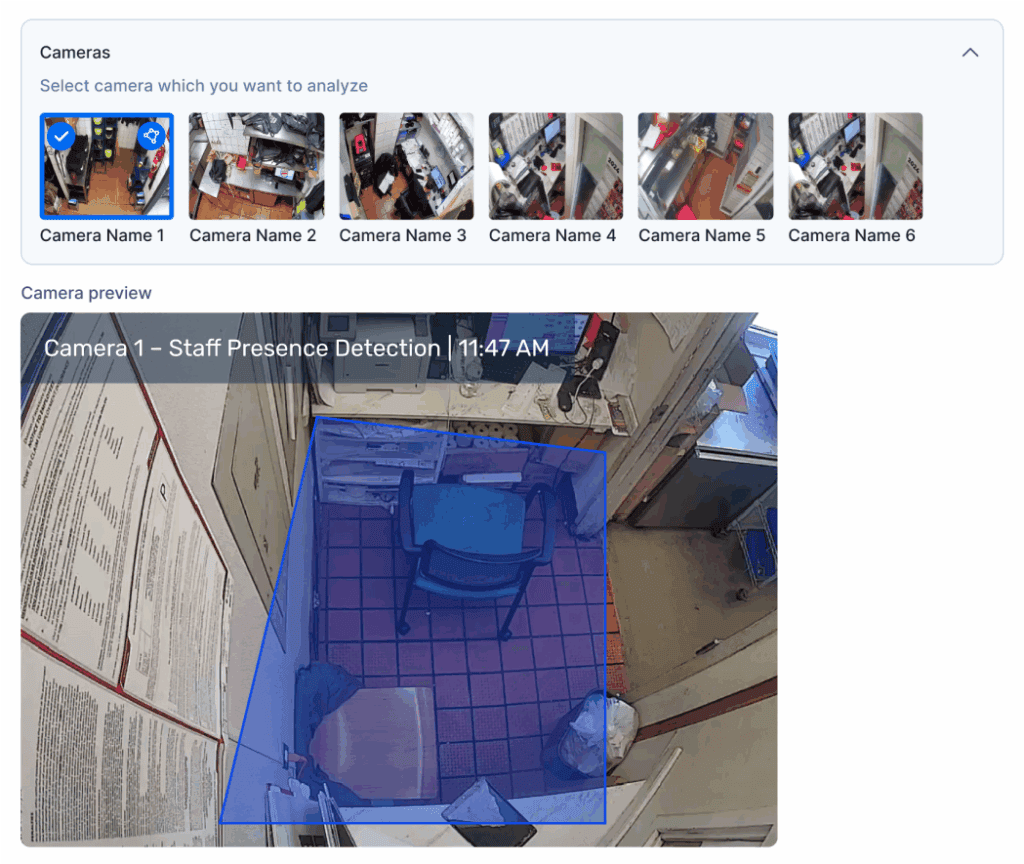
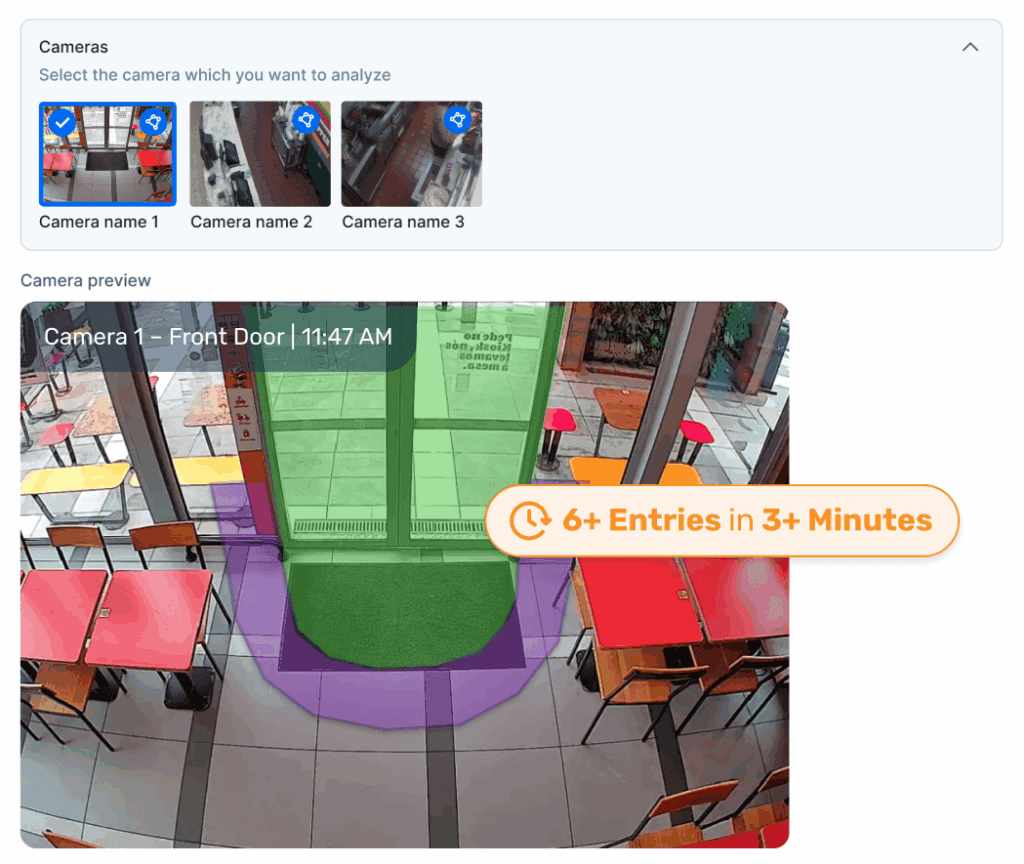
Configure your cameras

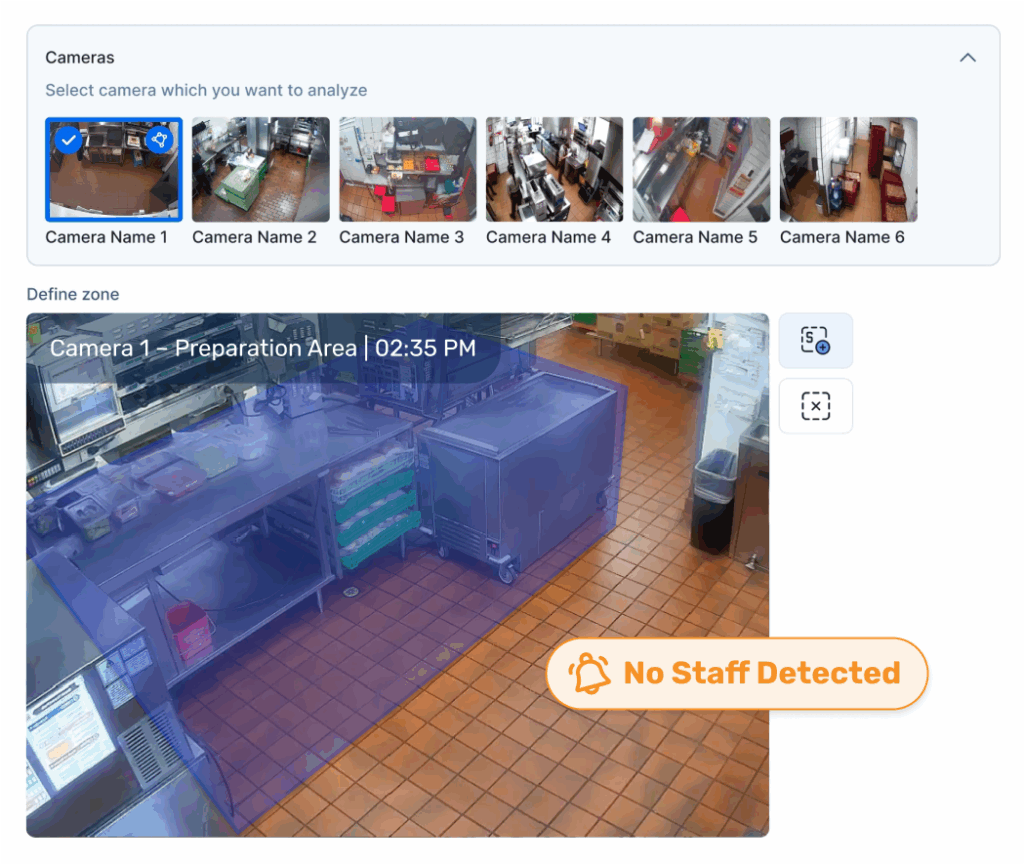
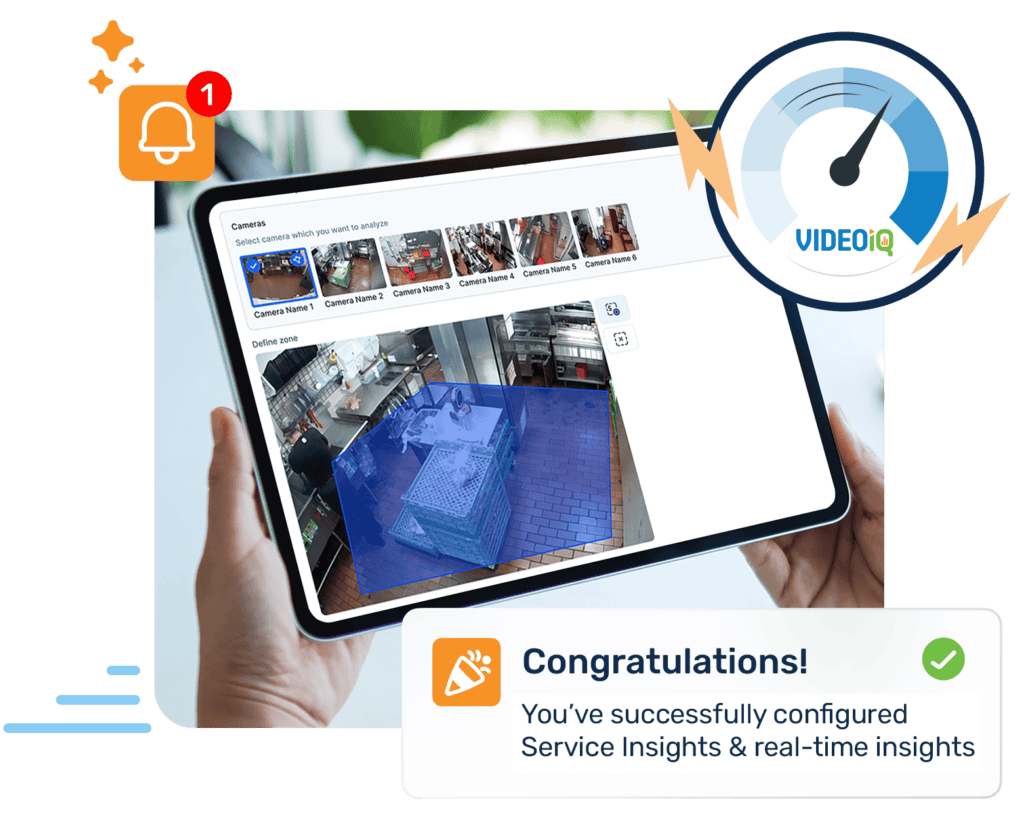
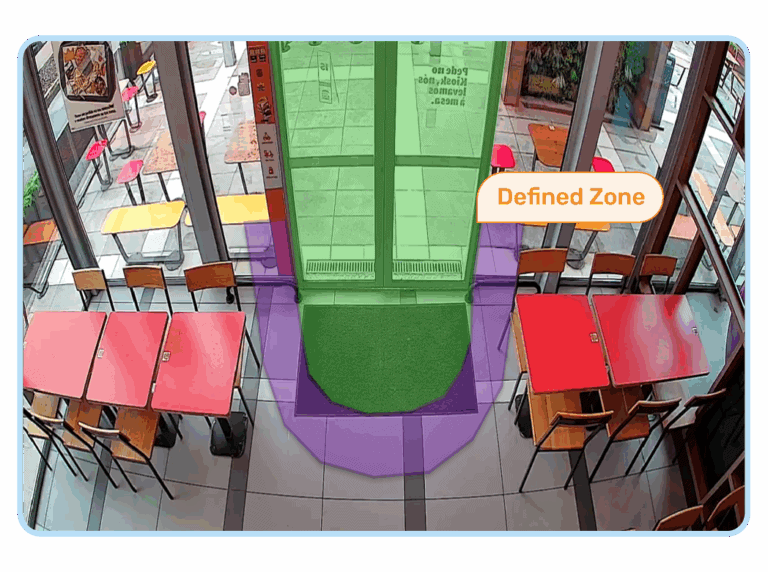
Start by selecting the cameras you want to analyze. Define custom zones within the camera view where you want Service Insights to monitor activity. For example, monitor areas where staff spend extra time or where queues typically form. These zones help generate relevant and actionable insights based on real-world movement and behavior.
Create-your-schedules-rushai

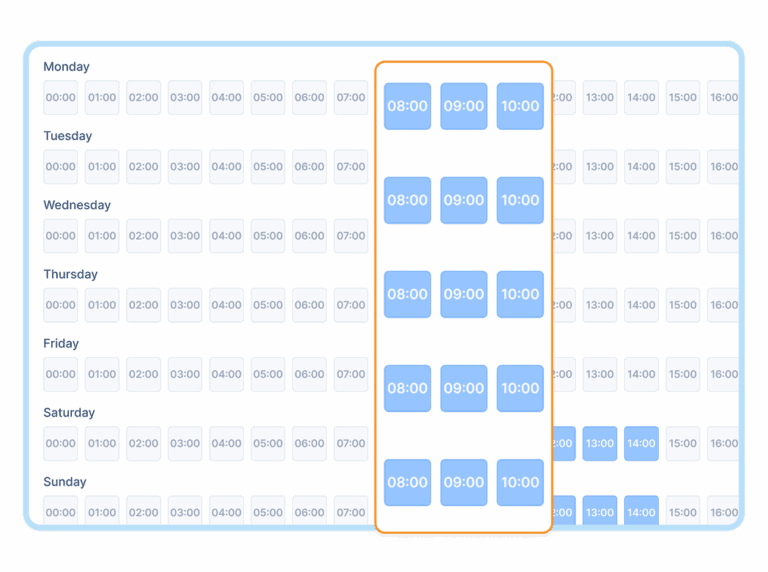
Create your schedules

Determine when you want Service Insights to be active. You can create a daily monitoring schedule or select specific days and times that align with your business’s busiest hours. This ensures the system focuses on critical time windows and reduces unnecessary alerts during off-peak hours.
Set-your-notification-rules-rushai

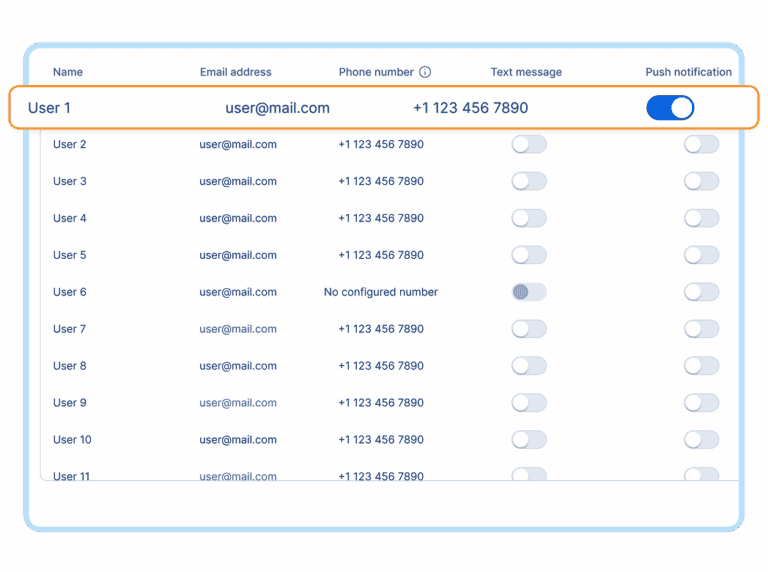
Set your notification rules

Choose the team members who should be notified when alert conditions are met. Assign preferred notification channels—email, SMS, or push notifications—for each user. This helps ensure the right people are informed in real-time and can act quickly when needed.
View-your-complete-summary-rushai

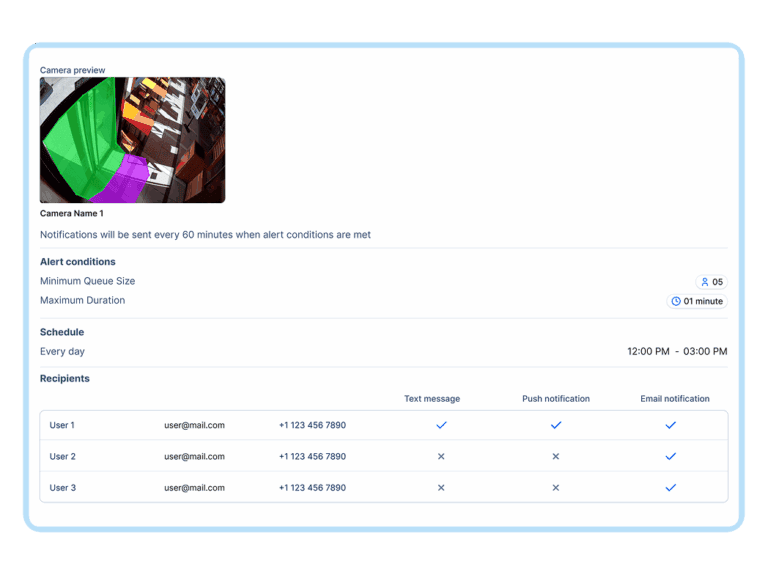
View your complete summary

Before finalizing, review all your configuration settings including zones, schedules, and recipients. Once confirmed, save the setup to activate Service Insights. You’ll begin receiving intelligent alerts and performance insights tailored to your business needs.

Key Features & Benefits

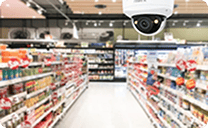
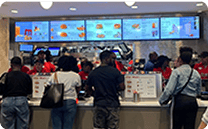
Guest Queue Management
Scenario
Receive alerts when the guest queue exceeds predefined size and duration thresholds.

Value: Helps staff take proactive measures to reduce wait times, ensuring a smooth guest experience.

Example – Get notified when six guests are waiting in line for
longer than three minutes.

Guest Surge Detection
Scenario
Be alerted when a predefined number of guests enter within a set period.

Value: Enables staff to adjust operations dynamically to manage sudden increases in demand.

Example – Notify me when 10 guests enter within three minutes.

Staff Engagement Insights
Scenario
Monitor when staff members remain in a zone longer than expected.

Value: Helps optimize workforce deployment and ensure productivity.

Example – Notify me when an employee remains in the back office for over seven minutes during peak times.

Staff Deployment Alerts
Scenario
Detect when staff are missing from key operational areas.

Value: Reduces service disruptions by ensuring optimal staffing at critical stations.

Example – Notify me when no staff is at the food preparation station for more than three minutes during peak times.

Deliver Speed and Satisfaction, Every Time.

The Service Insights Dashboard

Our intuitive dashboard provides a comprehensive overview of performance trends through a traffic light grid system, making it easy to track progress across different timeframes and comparison periods.

Real-Time Notifications for Immediate Action

Service Insights delivers instant notifications to help businesses take immediate action. Whether it’s guest queue alerts, staff deployment updates, or operational inefficiencies, operators have the tools to make data-driven decisions in real time.

Customizable Configuration for Maximum Control

Operators can take full control of their Service Insights settings with self-service configuration panels. Define parameters, set notification schedules, and designate recipients—ensuring the right people receive the right insights at the right time via SMS, email, or push notifications for real-time response.

Summary allows you to see everything in one place

Operators can take full control of their Service Insights settings with self-service configuration panels. Define parameters, set notification schedules, and designate recipients—ensuring the right people receive the right insights at the right time via SMS, email, or push notifications for real-time response.

Take Action with Service Insights

From queue management to staff optimization, Service Insights delivers the tools you need to improve operations and elevate every guest interaction—right when it matters most.